
Key Control Isn't Just About Keys Anymore
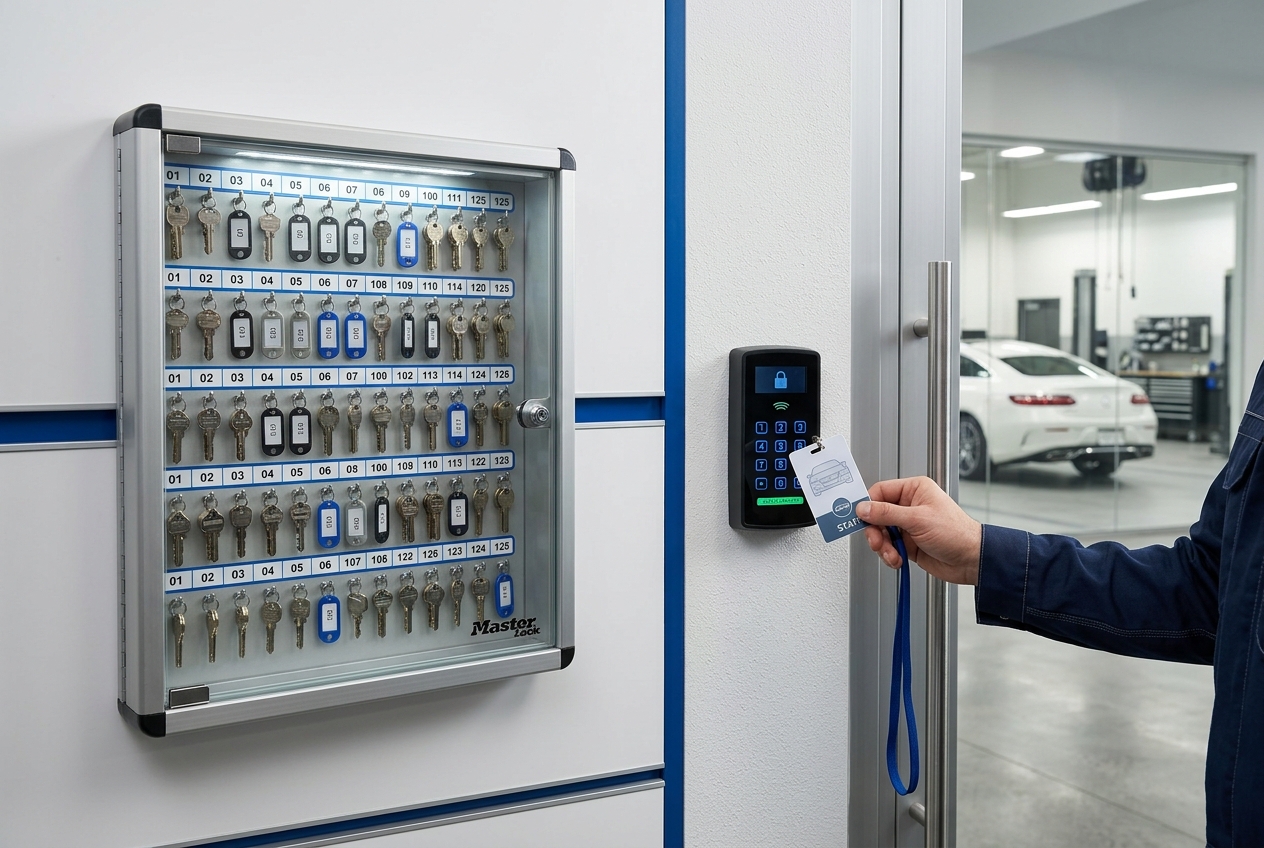
For years, key control meant something fairly simple. There was a key cabinet. Someone had the front-door key. Someone else had the shop key. The manager had the master. Maybe there was a spare hidden somewhere that everybody seemed to know about.
Today, that definition is dangerously outdated.
A "key" can now be a traditional metal key, a key card, an employee badge, a numeric keypad code, a digital lock credential, a smartphone-based access pass, a garage-door transmitter, or an administrator account capable of changing who gets through a door.
The technology has changed. The responsibility has not.
Every facility should be able to answer three basic questions: Who has access? What can they access? And should they still have it?
If the answer to any of those questions is "we're not really sure," the business has a security problem.
The giant key ring problem
Most businesses don't lose control of their keys overnight. It happens gradually.
An employee gets a key because they're opening the shop for a few weeks. A technician receives a gate code. A manager gets a master key. A vendor receives temporary access. Someone changes departments. Someone leaves the company. Another employee needs access, so another key gets copied.
Five years later, somebody opens a drawer and finds a giant ring of keys. Nobody knows what half of them open.
That key ring is a perfect picture of what happens when access grows faster than accountability.
Digital systems can create exactly the same problem. The difference is that instead of twenty unidentified keys on a ring, the company may have twenty active credentials buried inside an access-control system — and some of those credentials may belong to people who haven't worked there for months.
Key control is really access control
The terminology matters. When CBS/CDOS talks about key control, we're really talking about the broader responsibility of controlling physical and electronic access to the business.
That can include:
- Building and office keys
- Master and restricted keys
- Key cards and proximity badges
- Numeric door and gate codes
- Digital or smartphone credentials
- Alarm codes
- Garage-door transmitters
- Tool-room, parts-room and inventory access
- Vehicle key cabinets
- IT / server-room access
- File-room or personnel-record access
- Vendor and after-hours access
The question isn't simply "Who has a key?" It should be: "Who has access to what, why do they have it, and when was that authorization last reviewed?" That is a much stronger security question.
Process → Procedure → Reference
This is a good example of why the CBS/CDOS Process → Procedure → Reference approach matters.
Process — Control facility access. The goal is to protect employees, customers, vehicles, equipment, information, inventory and the facility itself.
Procedure — Control the complete access lifecycle. Access should move through a defined sequence: Request → Approval → Issue → Document → Monitor → Review → Modify → Recover / Deactivate.
Reference — Maintain the evidence. Support the procedure with records such as:
- Key / Access Assignment Form
- Master Key Inventory
- Key Card or Badge Register
- Access Authorization Matrix
- Lost Key / Badge Report
- Access Change Record
- Employee Separation Checklist
- Semiannual Access Audit
The form isn't the security program. The form proves the security program is being followed.
Issuing access should be the beginning — not the end
One of the easiest mistakes is treating the issuance of a key or badge as the completed task. Employee signs for key. Done. It shouldn't be.
The record should identify what was issued, what it accesses, who approved it, when it was issued, whether it may be copied or transferred, and what must happen when the employee's role changes or employment ends.
For electronic access, there may be another important question: what permission level was assigned?
A service advisor may need the front entrance and service drive. A parts manager may need the parts department and receiving area. A general manager may require broader access. A cleaning contractor may need limited access during certain hours. Those aren't necessarily four people who should receive the same credential.
Good security follows the principle of giving people the access required to perform their job — rather than giving everybody convenient access to everything.
Digital access can hide risk
A missing metal key is visible. A forgotten digital credential isn't. That's one reason modern access control can create a false sense of security.
The company may install an advanced electronic system and assume the building is now more secure. But if nobody maintains the user list, technology simply creates a more sophisticated version of the uncontrolled key ring.
Imagine reviewing an access system and finding 47 active users. Then compare that with payroll: 38 current employees. Who are the other nine? Former employees? Contractors? Temporary users? Old management accounts? Nobody should have to guess.
Digital systems can actually provide excellent accountability, because many can record when credentials are used. But those capabilities only help if somebody is responsible for reviewing and maintaining the system.
The exit process is as important as the issue process
Access control has two ends. Businesses often concentrate on the first — "Here's your key." The second deserves equal attention: "Give it back."
When someone resigns, retires, is terminated, transfers departments, completes temporary work, or no longer requires a particular level of access, the access should be reviewed immediately.
That may mean recovering physical keys, master keys, key cards, badges, gate remotes, garage transmitters and facility devices. It may also mean disabling door credentials, alarm codes, digital lock permissions, mobile access, shared codes and administrator privileges.
And if a shared code was known by someone who should no longer have access, recovering a badge isn't enough — the code may need to change.
Don't wait for an employee to leave
Access should also change when the job changes. Suppose an employee moves from management into another position. They may still work for the company, but they may no longer need master-key access, after-hours access, personnel-file access, cash-office access, tool-room access, or administrative access to the security system.
That's why access control should be tied to the position and business need — not simply to employment status.
Audit the system every six months
For many facilities, a six-month review with a formal annual reconciliation is a practical operating standard. The review doesn't have to become a major project.
Run the active-access list and compare it with current employees, current positions, authorized vendors, issued physical keys, badge numbers, access levels, after-hours privileges, lost or unreturned credentials, and recent transfers and terminations.
Then ask one question for every person: Does this individual still need this access today?
Annually, go deeper. Reconcile the physical inventory, electronic users, master keys, restricted areas, shared codes, vendor access and outstanding exceptions.
The objective is simple: every key has a home, every credential has an owner, and every user has an authorized reason for access.
Somebody has to own key control
"Management handles it" is usually not enough. A specific position should be responsible for maintaining the access-control program. Depending on the size of the organization, that might be the General Manager, Office Manager, HR Manager, Safety / Security Coordinator, Facilities Manager, or the IT administrator for electronic systems.
The responsibilities can be divided, but ownership must be clear. For example, HR may notify the access-control administrator of an employee separation, while the security or facilities administrator actually disables the credential. What matters is that there is a defined handoff — and confirmation that it happened.
For a small shop, the stakes can be enormous
A large organization may be able to absorb a security incident. A small shop may not.
Consider what could be inside one automotive facility overnight: customer vehicles, keys to those vehicles, parts inventory, diagnostic equipment, welders, scan tools, computers, customer information, employee information, cash or checks, and specialty tools.
A single unauthorized entry can expose far more than the replacement cost of a door lock. For a small repair facility or collision center, losing several customer vehicles, major equipment, computers and inventory in one event can threaten the survival of the business.
That's why key control shouldn't be dismissed as administrative housekeeping. It is asset protection.
The six questions every facility should be able to answer
Walk into your business tomorrow and ask:
- How many physical keys have we issued?
- How many active cards, badges, codes and digital credentials exist?
- Exactly who has them?
- What areas can each person access?
- When were those permissions last reviewed?
- Can we prove that former employees and vendors no longer have access?
If those answers are immediately available, the facility probably has a functioning access-control process. If answering them requires opening drawers, calling former managers, searching emails and asking, "Does anybody know what this key goes to?" — you've identified the problem.
Security doesn't fail because somebody forgot what a key looks like
It fails because responsibility became informal. Someone was given access. Nobody documented it. Their responsibilities changed. Nobody modified it. They left. Nobody recovered it. Years passed. Nobody audited it.
That chain can be prevented with a surprisingly simple system: Issue it. Record it. Control it. Review it. Change it when necessary. Recover or deactivate it when it ends.
Whether the "key" is made of brass, plastic, numbers or software, the principle remains exactly the same. Know every access point. Know every authorized user. Know why they have access. Know when that access should end.
Because in today's facility, key control isn't really about keys anymore. It's about knowing who can get through the door — and protecting everything on the other side.
CBS/CDOS — Process → Procedure → Reference
Get the actual dealership forms behind this article — claim any 3 free, no card needed.